FLASH SALE Get 20% OFF everything using the coupon code: FLASH20 View Pricing Plans →
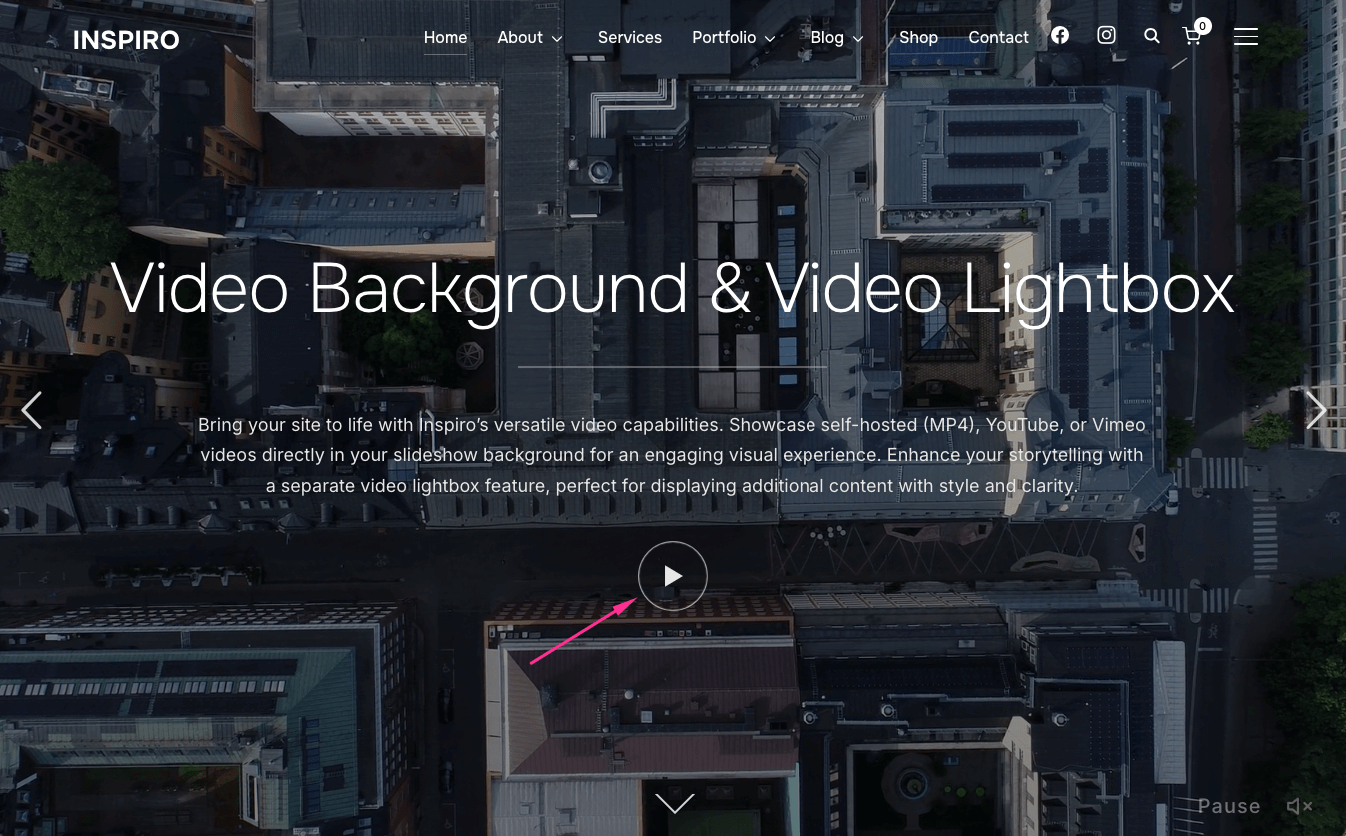
The Video Lightbox feature adds the play icon in a slide from the homepage slideshow.
To remove the play icon, follow these steps:
1. Edit the slideshow post
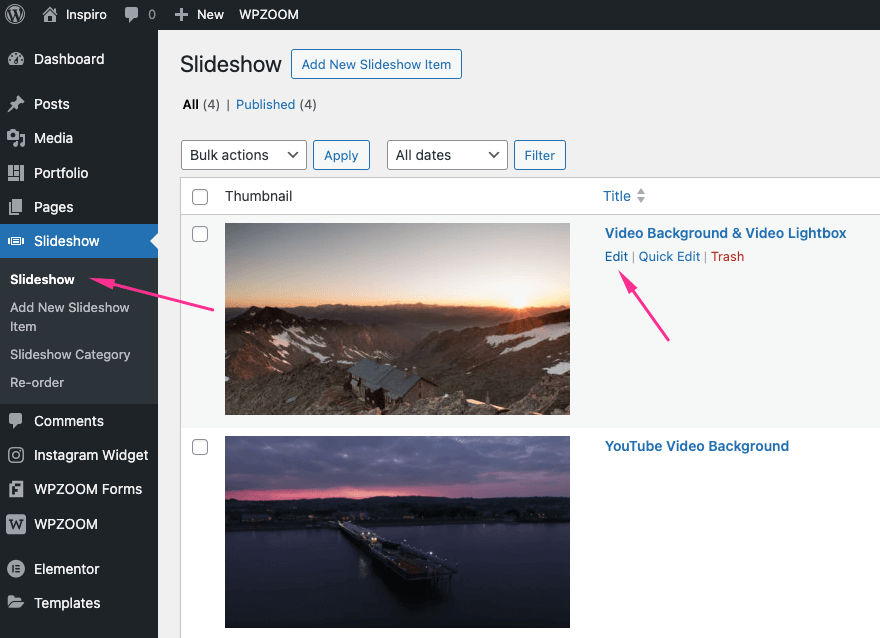
2. Go to the Video Lightbox tab under Video Settings
3. Clear both video fields: Self-hosted and YouTube/Vimeo
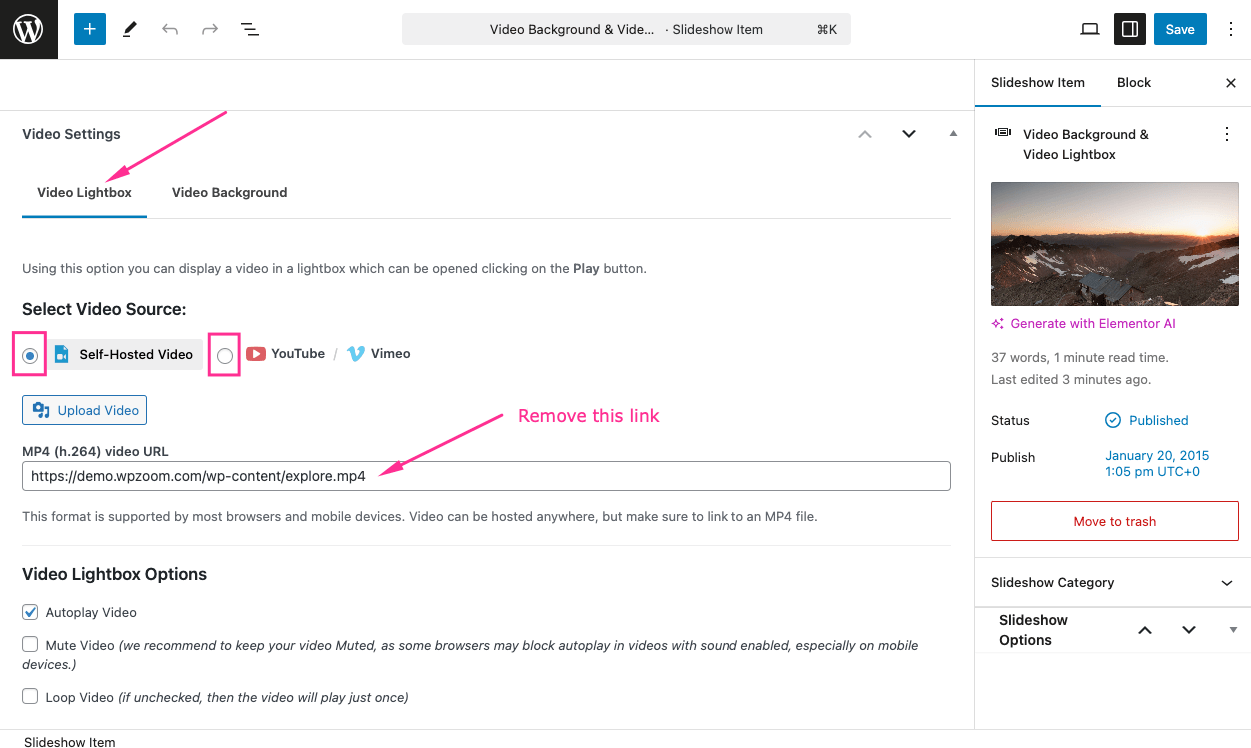
4. Click Save to publish the changes and reflect them on the front end
Repeat the same for other slides if needed.
